
If you regularly work with contracts, bank statements, tax documents, or university certificates, you’ve likely hit the frustrating paywalls of commercial PDF sites like SmallPDF, iLovePDF, or Adobe Acrobat Web:
- “You’ve reached your free daily limit of 2 tasks. Upgrade to Pro for $12/month.”
- “File size exceeds 15MB. Please subscribe.”
- “Sign in with Google to download your merged file.”
Even more concerning than subscription fees is the security and privacy risk: traditional cloud PDF converters upload your confidential legal agreements, medical histories, and financial statements to third-party remote servers.
Here are the best free, private alternatives in 2026 that process your documents 100% in your local web browser with zero file uploads and zero daily restrictions.
The Hidden Danger of Cloud PDF Converters
When you drag and drop a PDF into a traditional cloud converter:
- Remote Data Transmission: The document travels across the internet and is saved onto external cloud servers.
- Data Retention Policies: While many tools claim to delete files after 1 to 2 hours, temporary cached copies, optical character recognition (OCR) scans, and metadata logs can linger in data pipelines.
- Data Compliance Breaches: Uploading customer contracts or employee paystubs to unverified cloud servers violates strict corporate compliance regulations like GDPR, HIPAA, and SOC2.
Modern web technologies (like WebAssembly, Web Workers, and client-side HTML5 APIs) have rendered server-side PDF manipulation obsolete for 95% of everyday tasks.
1. Everyday Used Apps – PDF Editor & Page Manager (Top Pick)
Best for: Complete PDF suite (Merge, delete, split, rotate, sign, annotate, watermark) with zero uploads.
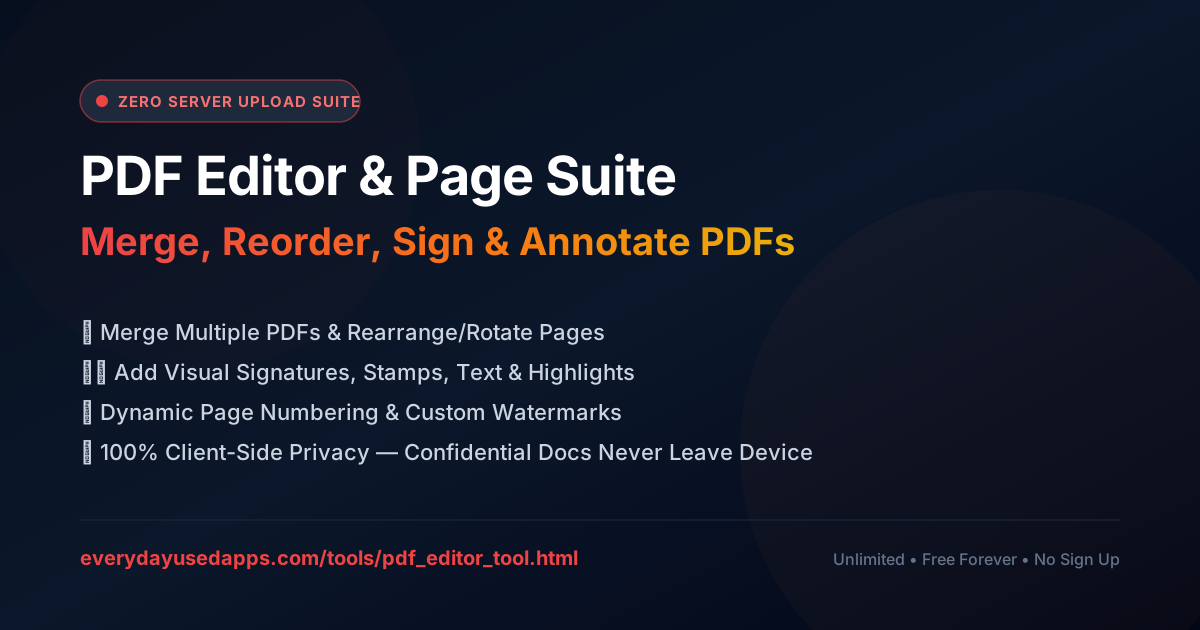
- Official Tool: PDF Editor & Page Manager
- Pricing: 100% Free Forever (No Card, No Sign-Up)
- Privacy Model: 100% Local In-Browser Processing (Zero Server Telemetry)
Why It Beats SmallPDF & iLovePDF:
- No Daily Task Caps: Merge 50 files or rearrange 200 pages without hitting artificial lockouts.
- Visual Drag-and-Drop Page Grid: Easily reorder pages across multiple documents, rotate landscape charts, and delete blank pages.
- Built-in Digital Signatures: Draw an ink signature or upload an e-sign stamp directly onto contracts.
- Local File Security: Bank statements, tax filings, and NDAs never leave your device RAM.
2. Everyday Used Apps – Target KB Image Compressor & EXIF Scrubber
Best for: Shrinking PDF-attached images and photos to exact government or job portal file limits (<50KB, <100KB).
- Official Tool: Image Compressor & EXIF Scrubber
- Privacy Model: Client-side canvas compression with 1-click GPS and camera metadata removal.
If you are preparing documents for passport applications, government portals, or corporate HR systems that reject uploads over 100KB, this tool allows you to dial in an exact target kilobyte size without pixelation.
3. Everyday Used Apps – Digital Signature & Seal Stamp Studio
Best for: Creating transparent signature overlays and corporate notary stamps.
- Official Tool: Digital Signature & Stamp Studio
Rather than paying for DocuSign or Adobe Sign subscriptions, this utility lets you draw smooth, velocity-sensitive vector signatures, auto-crops whitespace, and downloads transparent PNGs ready to drop into any contract or PDF.
Feature Comparison Matrix: Everyday Used Apps vs Commercial Cloud Converters
| Feature | Everyday Used Apps | SmallPDF | iLovePDF |
|---|---|---|---|
| Server Uploads | 🛡️ 0% (100% Client-Side) | ⚠️ Uploads to Cloud | ⚠️ Uploads to Cloud |
| Daily Task Limits | ⚡ Unlimited | ❌ 1-2 tasks / day | ❌ 2-3 tasks / day |
| File Size Maximum | 🚀 Unlimited (Device RAM) | ❌ Capped at 15MB–50MB | ❌ Capped at 25MB |
| Digital E-Signatures | ✍️ Included Free | 💳 $12/month Pro tier | 💳 $7/month Pro tier |
| Account Required | 🔓 No Sign-Up | ❌ Mandatory email prompt | ❌ Persistent sign-in nags |
| Document Retention Risk | 🛡️ Zero (Never Stored) | ⚠️ Stored 1-2 hrs on servers | ⚠️ Stored 1-2 hrs on servers |
How to Merge Multiple PDFs Privately in 3 Steps
- Open the Free PDF Editor & Page Manager.
- Click Merge Files and select your PDF files.
- Reorder or rotate pages in the thumbnail grid, then click Export PDF to download your combined document instantly.
No waiting in cloud processing queues, no email confirmation codes, and no subscription fees.